
Live webinars sell. But they also wear you out.
You pick a date, promote it for weeks, show up, give it your all and then do it all again next month.
An evergreen webinar fixes that. You record your best presentation once and let it run on its own, every day, for anyone who signs up. Here's how to create one, step by step.
What Is an Evergreen Webinar?
An evergreen webinar is a pre-recorded webinar that plays automatically on a schedule or on demand.
To the viewer, it still feels like an event. They register, get reminders, join at a set time and watch a presentation with chat, polls and a special offer at the end.
The difference is that you don't have to be there. The webinar software runs everything for you.
"Evergreen" just means the content stays useful for a long time. No dates, no news, nothing that goes out of style next month.
Why Evergreen Webinars Work So Well
- They sell around the clock. Someone in another time zone can watch at 3 a.m. while you sleep.
- You present at your best every time. No bad audio days, no forgotten points, no nerves.
- They scale. One recording can serve ten people a week or ten thousand.
- You can improve them. Change the offer, the title or the timing and see what sells more.
- They free your time. Spend it on your product and customers instead of repeating the same talk.
Live vs Evergreen, a Quick Comparison
| Live Webinar | Evergreen Webinar | |
|---|---|---|
| Your time | Every session | Once, then it runs itself |
| When people can watch | One set time | Many times a day or on demand |
| Quality | Depends on the day | Your best take, every time |
| Real-time Q and A | Yes | Through chat and follow-up emails |
| Best for | Launches and big events | Steady sales every day |
Many smart marketers use both. Live webinars for launches, and an evergreen version of the best one running in the background all year.
What You Need to Get Started
The list is shorter than most people think.
- One offer you already sell, or can start selling.
- A laptop and a decent microphone. A $50 USB mic is plenty.
- Simple slides made in PowerPoint, Google Slides or Canva.
- Automated webinar software to host, schedule and run the sessions.
- An email tool for reminders and follow-ups, if your webinar software does not send them.
- A weekend. That is enough time to write, record and set up a first version.
That's it. No studio, no team and no big budget.
The Evergreen Webinar Blueprint
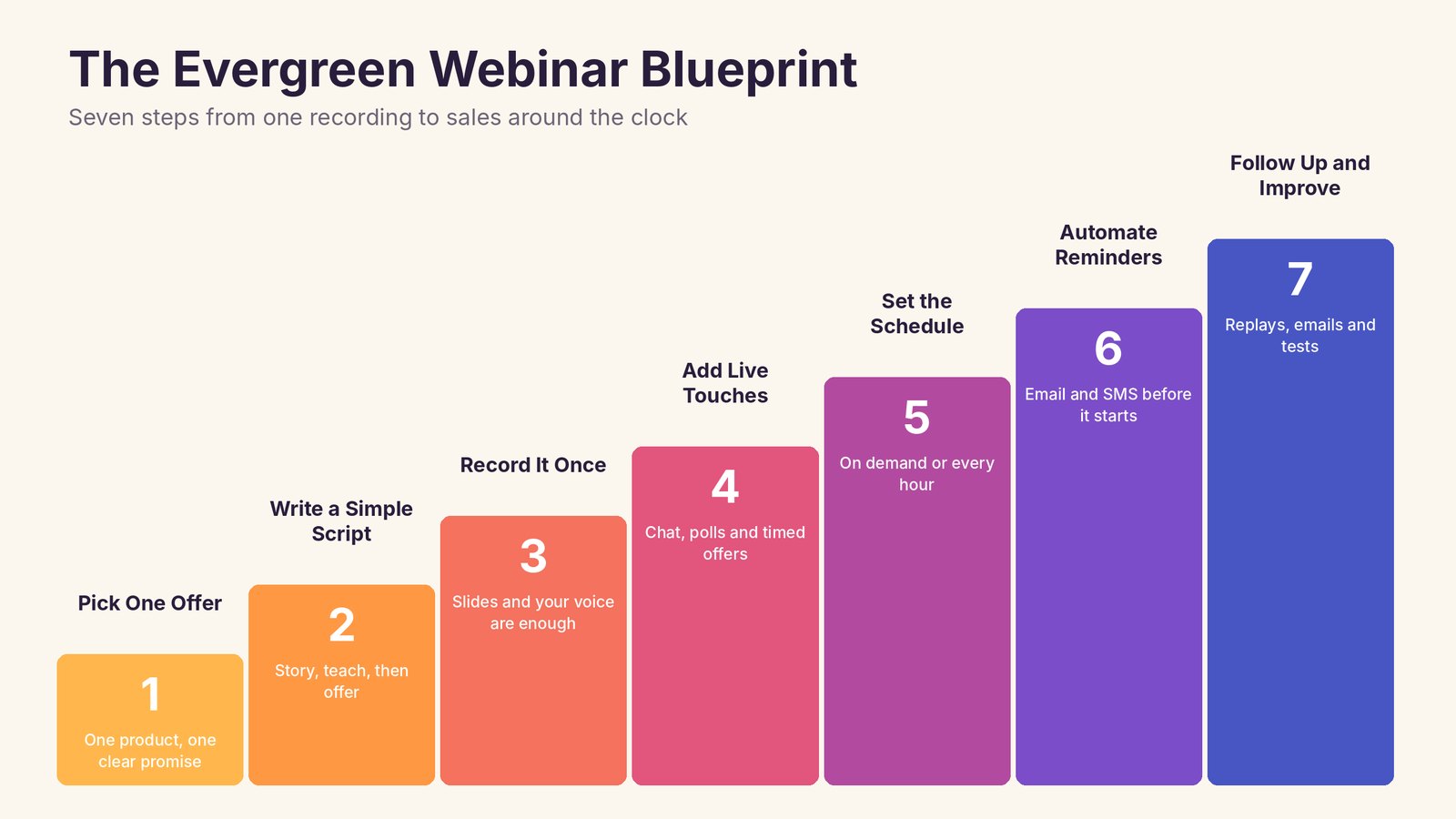
Here are the seven steps, from a blank page to a webinar that sells every day.
1. Pick One Offer
Every great webinar sells one thing. A course, a coaching program, a software tool or a service.
Choose the offer first, then build the webinar around it. Ask yourself what problem it solves and what the viewer needs to believe before they'll buy.
Your webinar's job is to help them believe those things.
2. Write a Simple Script
You don't need anything fancy. A simple shape works for almost any topic.
- Hook. A promise of what they will learn, in the first minute.
- Your story. Why you are the right person to teach this, in a few short minutes.
- Teach. Three useful ideas that solve part of their problem.
- Bridge. Show that the full solution needs more help.
- Offer. What you sell, what they get, the price and a reason to act now.
- Questions. Answer the doubts people usually have.
Aim for 45 to 60 minutes. Long enough to give real value, short enough to keep people watching.
And keep it evergreen. Skip dates, seasons, news and phrases like "this week". If you mention a bonus, make sure it's one you can offer all year.
3. Record It Once
Slides and your voice are enough. Many top-selling webinars never show the presenter's face at all.
Use a decent microphone, a quiet room and simple slides with big text. Record in short sections if that's easier, and join them together afterward.
Don't chase perfection. Clear and helpful beats polished and boring.
4. Add Live Touches
This is what turns a video into an event.
Good automated webinar software lets you add simulated chat, polls, surveys and pop-up offers that appear at exact moments in the video. When you say "I'm going to show you something special in a minute", a buy button can appear right on time.
These touches keep people engaged, and engaged viewers buy.
One honest note. Be clear about what the event is. Many marketers call these "encore" or "replay" sessions. Viewers mostly care that the content is helpful and the offer is good.
5. Set the Schedule
You have two main choices.
- Scheduled sessions. The webinar runs at set times, like every day at 11 a.m. and 7 p.m. This creates a feeling of an event.
- On demand or just in time. The webinar starts minutes after someone registers, so you catch them while they are interested.
Many people mix both. Offer a session starting in 15 minutes, plus a couple of set times later in the day.
Show times in the viewer's own time zone. It sounds small, but it stops a lot of confused no-shows.
6. Automate Reminders
Most people who register won't show up unless you remind them.
Set up a short series of emails and, if you can, text messages. A confirmation right away, a reminder the day before, one an hour before and one when it starts.
Keep each one short, with the link front and center.
7. Follow Up and Improve
The webinar isn't over when the video ends.
Send a replay to people who missed it or left early. Follow with a few emails that answer common questions, share a customer story and remind them when the offer ends.
Then look at your numbers every couple of weeks and make one change at a time.
The Numbers to Watch
| Number | What It Tells You | If It Is Low |
|---|---|---|
| Registration rate | How well your sign-up page works | Try a clearer title and promise |
| Show-up rate | How well your reminders work | Add SMS and an hour-before reminder |
| Stay rate | How engaging your webinar is | Shorten the intro and add polls |
| Offer clicks | How strong your pitch is | Make the offer clearer and add bonuses |
| Sales | The final result | Improve follow-up emails |
Fix the biggest leak first. A 10% better show-up rate can mean 10% more sales without changing anything else.
How to Get People to Your Evergreen Webinar
A webinar that runs every day needs a steady stream of sign-ups. Here are the easiest places to find them.
Your Website
Put a webinar sign-up box on your homepage, blog posts and about page. A free class is often a stronger offer than a newsletter.
Your Email List
Add the webinar to your welcome email series, so every new subscriber gets invited automatically.
Social Media
Share short clips from the webinar as Reels, Shorts and posts, with a link to register for the full session.
Paid Ads
Ads to a free webinar often convert better than ads straight to a sales page, because people get value before you ask for money. Start with a small daily budget and watch your cost per registration.
Partners
Ask people with a similar audience to share your webinar, and offer them a commission on sales.
What Could an Evergreen Webinar Earn?
Here's a simple example to show how the math works.
Say 300 people register each month and 40% show up. That's 120 viewers. If 5% of them buy a $200 course, that's 6 sales and $1,200 a month, from a webinar you recorded once.
Now improve just two things. Better reminders lift the show-up rate to 50%, and a stronger offer lifts sales to 6%. That's 150 viewers, 9 sales and $1,800 a month. Same traffic, 50% more revenue.
Your numbers will be different, but the lesson is the same. Small improvements add up fast when the webinar runs every day.
Common Evergreen Webinar Mistakes
- Mentioning dates or news. It instantly tells viewers the webinar is old.
- A long, slow intro. People leave before you get to the good part.
- No clear offer. Viewers enjoy the content and then leave without buying.
- Too few reminders. Half your sign-ups forget to show up.
- Set and forget. The best evergreen webinars get small improvements every month.
- Fake urgency that resets. A timer that restarts on every refresh hurts trust. Use real deadlines per viewer instead.
Ideas for Your First Evergreen Webinar
Not sure what to teach? These topics work in almost any niche.
- "How I" stories. How I grew my first 1,000 customers, how I lost 20 pounds, how I learned to code at 40.
- The 3 biggest mistakes. The three mistakes beginners make in your field, and how to avoid them.
- A simple framework. Your step-by-step method with a catchy name.
- A live demo. Show your product or service solving a real problem from start to finish.
- A case study. Walk through one customer's results in detail.
Run It All With Webinarloop
You need software that plays your webinar automatically and makes it feel live. That's exactly what we built Webinarloop for at Teknikforce.
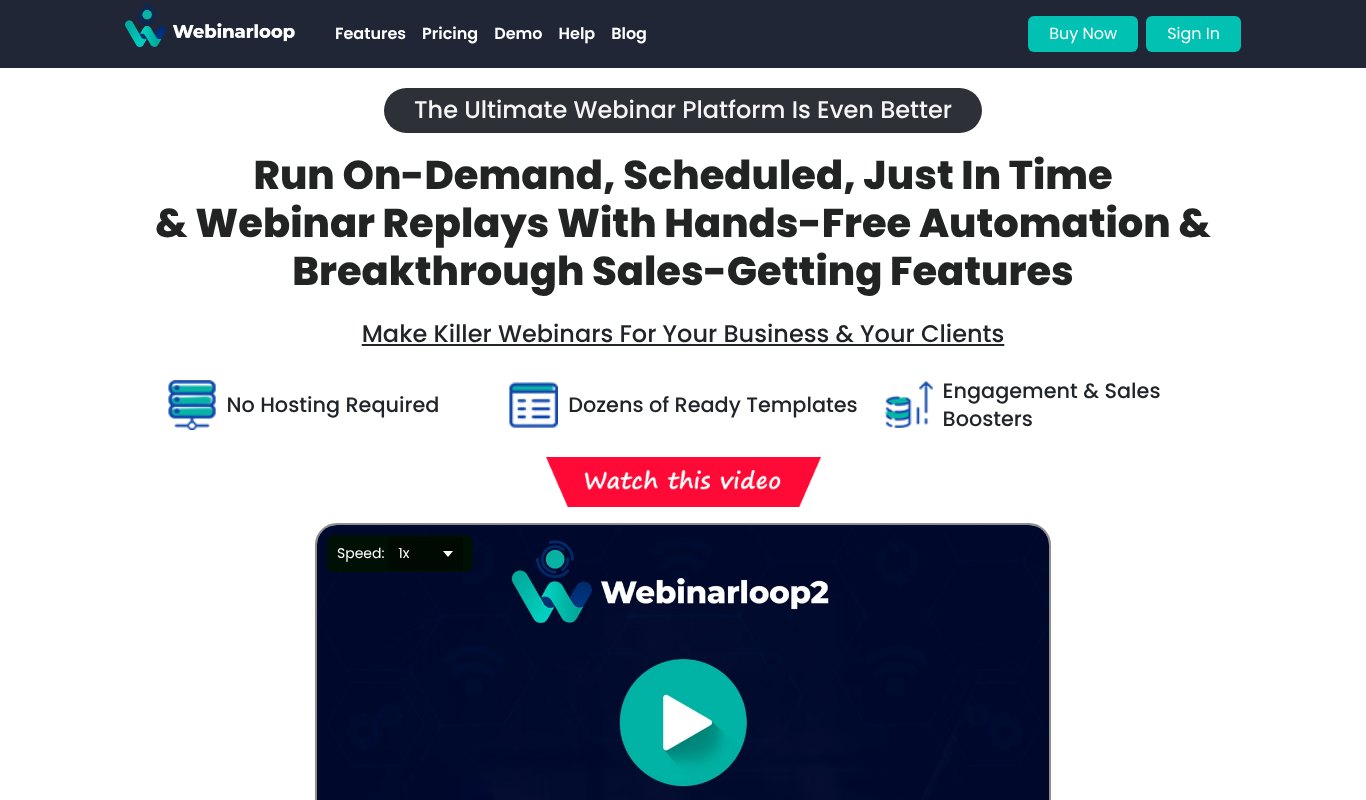
- Scheduled, on-demand and just-in-time webinars from one recording.
- Simulated live sessions with simulated chat and events.
- Clickable call-to-action buttons so viewers can buy right inside the webinar.
- Polls, surveys, info-pops and sidebar graphics to keep people engaged.
- Dozens of sign-up and thank-you page templates with a built-in page builder.
- Email and SMS reminders, autoresponder and Zapier integrations, and retargeting pixels.
- No hosting needed, with analytics on retention and drop-off.
Pricing $5.58 a month, paid yearly ($67 a year), or $17 month to month, with a 30-day money-back guarantee. Most automated webinar platforms charge $79 to $199 a month.
Final Thoughts
An evergreen webinar is one of the best things you can build for your business. You do the hard work once, and it keeps finding and selling to new customers every single day.
Pick one offer, write a simple script, record it, add live touches and let the software handle the rest. Then improve it a little each month.
Your best presentation deserves more than one audience.
FAQs About Evergreen Webinars
How long should an evergreen webinar be?
Most work best at 45 to 60 minutes. Short enough to keep attention, long enough to teach something real and make an offer.
Do I need to show my face?
No. Many successful webinars are just slides and a voice. Showing your face can build trust, but it's optional.
Are evergreen webinars honest?
Yes, when you're upfront. Don't claim to be live when you're not. Present it as a replay or encore session, and focus on giving real value.
How often should I update my evergreen webinar?
Review your numbers monthly and make small changes. Re-record only when your offer or the core content changes.
Can I use a recording of a past live webinar?
Yes, and it's a great way to start. Just trim out dates, live mentions and any parts that didn't work.